Tap red.
The record button is the screen. Open Yap, tap once, and you're recording. No setup, no permissions wall the second time.
Yap is the voice inbox for the half-formed thought. Tap the red button, talk like you're leaving yourself a voicemail, and walk away with text — not another audio file to file.
No account · Audio stays on your phone.
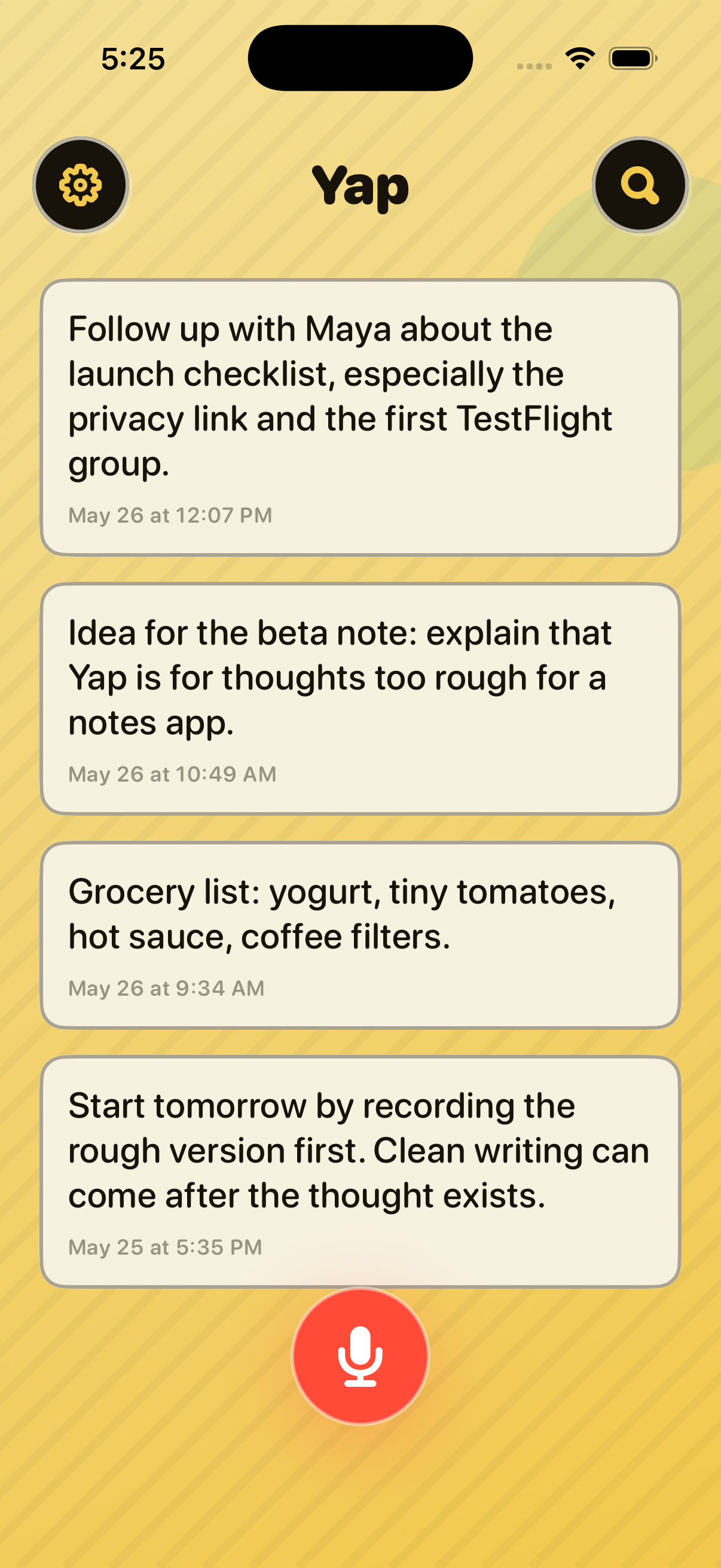
Yap is intentionally small. There's no project, no folder, no calendar to file into. Just the fastest path from "I had a thought" to "I have it written down."
The record button is the screen. Open Yap, tap once, and you're recording. No setup, no permissions wall the second time.
Yap transcribes on your phone and saves a transcript card. You can edit it, search it, share it — like a note you wrote, only faster.
Share to Obsidian, Notes, Messages, Tasks, Files. Yap is the inbox; your real notes system is wherever you keep the rest of your thinking.
No cloud, no account, no contacts. Yap doesn't have followers, friend requests, or "people you may know." It's a voice inbox, not a feed. The transcript lives on your phone; the audio gets discarded.
Read the full privacy policy.
Yap is free on the App Store. Install it and start with a clean voice inbox. No account, no waitlist.
Download Yap on the App Store